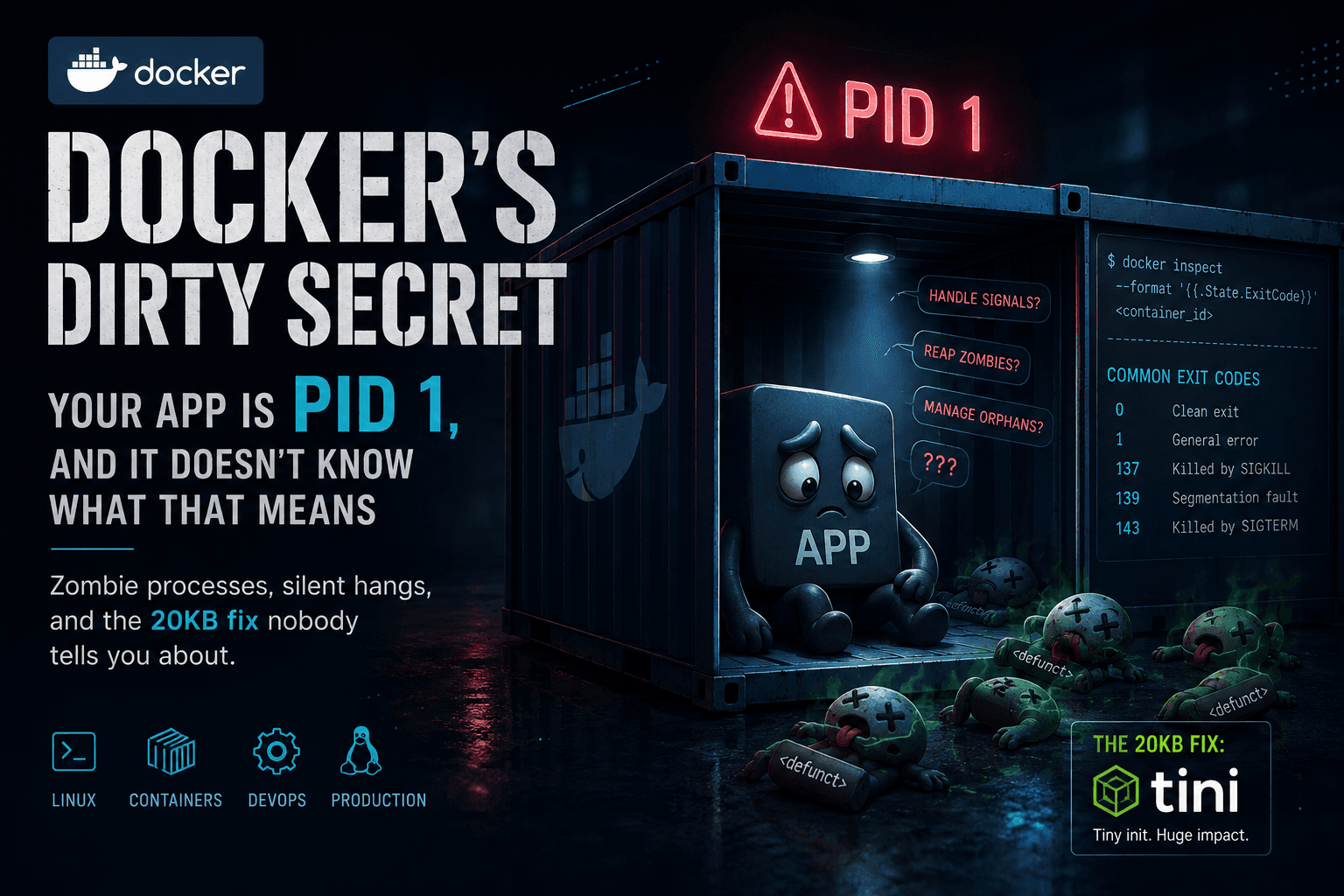
Docker's Dirty Secret: Your App Is PID 1, and It Doesn't Know What That Means
Your container's PID 1 isn't just another process — it inherits kernel-level responsibilities most apps were never built to handle. Here's why that silently fills your process table with zombies, why "docker stop" can quietly turn into a force kill, and the 20KB fix that solves both.
Docker's Dirty Secret: Your App Is PID 1, and It Doesn't Know What That Means
Let's start with a question. No googling, just think about it for a second.
You run this:
docker run ubuntu sleep 5
Five seconds pass. sleep finishes doing the only thing it was ever going to do — nothing, patiently, for five seconds. Then it's done.
What happens to the container?
Take a guess before you keep reading. Does it:
- (A) Keep running, sitting there idle, waiting for you to do something else with it?
- (B) Exit immediately, the moment
sleepfinishes?
If you guessed B, you're right — and if you guessed A, you're in good company, because it's a genuinely reasonable guess. A container feels like a lightweight little machine. Machines don't usually shut themselves off just because one command finished. Your laptop doesn't power down because you closed a terminal tab.
But a container isn't a machine. It's a process. And the moment that process — sleep, in this case — exits, there's nothing left inside the container for Docker to keep alive. The container dies with it, instantly, no lingering.
This one tiny example is actually the entire foundation of everything that follows in this article. So let's name the rule properly, because you're about to see it cause real, confusing, 3am-production-incident kind of problems.
Prerequisites
Before we go further, you'll get the most out of this if you're comfortable with:
- Basic Docker usage (
docker run,docker stop,docker inspect) - What a process ID (PID) is, roughly
- The idea that Unix processes talk to each other using signals (
SIGTERM,SIGKILL, etc.) — we'll explain the specifics as we go, but it helps to know signals exist
If any of that's a little fuzzy, don't worry — we'll build it up as we go.
1. The Rule: A Container Is Only As Alive As Its First Process
Here's the rule your sleep 5 example just taught you, stated properly:
Every container has exactly one process that starts first — called PID 1. The container lives exactly as long as PID 1 lives. The instant PID 1 exits, for any reason, the container is gone.
stateDiagram-v2
[*] --> Running: PID 1 starts
Running --> Stopped: PID 1 exits (clean or crash)
Stopped --> [*]
note right of Running
Doesn't matter what else
is happening inside —
PID 1 is the only thing
that matters.
end note
In your sleep 5 example, sleep was PID 1. There was nothing else inside that container. So when sleep finished, PID 1 finished, and the container had no reason left to exist.
Now here's where it gets interesting: what if PID 1 isn't something as simple as sleep? What if PID 1 is your actual application — a Node.js server, a Python API, something with real, ongoing work to do, that spawns other processes along the way?
Turns out, that's always the case in a typical container. And your app was never designed for what that role actually demands of it.
2. A 3am Mystery: Reading Exit Codes Like a Detective
Picture this. You wake up to a Slack alert. A container crashed overnight. You have no idea why yet. Before you dive into logs, there's one number that instantly narrows down your search — the exit code.
docker inspect <container_id> --format '{{.State.ExitCode}}'
| Exit Code | Meaning | What It Usually Means in Practice |
|---|---|---|
0 | Clean exit | Process finished successfully — nothing to worry about |
1 | General error | App crashed with an unhandled error |
137 | Killed by SIGKILL | OOM kill, or something force-killed it (kill -9) |
139 | Segmentation fault | App touched memory it shouldn't have |
143 | Killed by SIGTERM | Something asked it to shut down gracefully |
Here's a neat trick that turns this table from something you memorize into something you can derive: exit codes for signal-related deaths follow the formula 128 + signal number. SIGKILL is signal 9, so 128 + 9 = 137. SIGTERM is signal 15, so 128 + 15 = 143. Once that clicks, you'll never need to look the table up again.
In production, 137 and 143 are the two you'll see constantly — and by the end of this article, you'll understand exactly why both of them are connected to the same root cause.
3. The Job Nobody Told Your App It Had
Go back to a normal Linux machine — your laptop, a bare-metal server, whatever. PID 1 there is systemd (or init, on older systems). It's a specialized program, built specifically to sit at the root of the process tree and handle two jobs that every other process quietly depends on:
- Reaping zombie processes — cleaning up the leftover metadata of child processes after they finish
- Forwarding signals correctly — making sure things like
SIGTERMactually reach the processes that need to respond to them
Nobody thinks about this. It just works, because systemd was built for the job.
Now go back to your container. Your Node.js app becomes PID 1 the moment it's the first thing that starts. And here's the part that catches people off guard: your app inherits those same two responsibilities — reaping zombies, forwarding signals — despite never being written with either job in mind.
It's a bit like being handed the keys to a building and told "oh, by the way, you're also the janitor and the fire marshal now" on your first day. Nobody warned you. Nothing in your job description mentioned it. But the responsibility is yours whether you knew about it or not.
4. The Zombies Are Real (and They're Already Piling Up)
Let's define the word properly, because "zombie process" sounds like a joke until you understand what it actually means.
A zombie process is a process that has already finished running — but whose exit status hasn't been collected yet by whoever's responsible for collecting it (its parent). It's not doing anything anymore. It's not using CPU. It's just... an entry, sitting in the kernel's process table, waiting for an acknowledgment that never comes.
On a normal system, the parent cleans this up automatically — a step called reaping. But if your app is PID 1, and it never explicitly does this cleanup (and almost no application code does, because why would it, that's not its job), those entries just sit there. Forever, or until the container itself dies.
graph TD
A["PID 1 — your app<br/>(never asked to be a janitor)"] --> B["PID 2 — worker<br/>💀 finishes, becomes zombie"]
A --> C["PID 3 — worker<br/>💀 finishes, becomes zombie"]
A --> D["PID 4 — worker<br/>💀 finishes, becomes zombie"]

style B fill:#4a1a1a,stroke:#a33,color:#fff
style C fill:#4a1a1a,stroke:#a33,color:#fff
style D fill:#4a1a1a,stroke:#a33,color:#fff
One zombie, once, won't hurt anything. The danger is accumulation — a long-running container that spawns lots of short-lived child processes (worker pools, scheduled jobs, shelling out to CLI tools) over days or weeks, slowly filling up its process table with entries that will never be cleaned up. And here's the cruel part: it doesn't show up as an obvious spike in CPU or memory graphs. It's a slow leak in a place nobody's watching, until one day the container starts behaving strangely and nobody can immediately say why.
5. The Fix Isn't "Write Better Cleanup Code" — It's "Don't Be PID 1"
Here's the reframe that makes this whole problem disappear: your app doesn't need to learn how to be a janitor. It just needs to not be the one holding the keys.
Enter tini — a real, purpose-built init system for containers. It's tiny (about 20KB) and it does exactly two things, both of them well:
- Reaps zombie children properly
- Forwards signals to your actual app correctly
graph TD
subgraph "Without tini"
A1["PID 1 — node app<br/>(accidentally the janitor)"]
end
subgraph "With tini"
B1["PID 1 — tini<br/>(the actual janitor)"] --> B2["PID 2 — node app<br/>(just does its actual job)"]
end
With tini sitting at PID 1, your app slides down to PID 2 — just a regular child process again, free to focus entirely on the thing you actually wrote it to do.
Three ways to make this happen
Option A — Bake it directly into your Dockerfile (the most reliable path):
FROM node:18

RUN apt-get update && apt-get install -y tini

ENTRYPOINT ["/usr/bin/tini", "--"]
CMD ["node", "server.js"]
Option B — Use Docker's built-in flag (no Dockerfile changes needed):
docker run --init myapp
One precision worth knowing here: --init doesn't literally inject the tini binary — it injects Docker's own docker-init, which is built from tini's source but shipped as a separate binary under a different name. Functionally the same job, just don't go looking for a process literally called tini inside a container started this way; look for docker-init instead.
Option C — Don't assume it's already there:
It's tempting to assume a popular base image already ships with something like this out of the box. Resist that assumption. The official Node.js image maintainers explicitly document that their images do not include an init system by default, and recommend --init or adding tini yourself — and there's no solid evidence this is different for other popular official images either. Always check directly:
docker run --rm node:18 which tini
Empty result? You need Option A or B.
One more thing if Kubernetes or ECS is in your future: --init is a docker run flag — it doesn't travel with you into Kubernetes or other orchestrators, since they don't invoke the Docker CLI directly. If you're deploying there, baking tini into the image (Option A) is the approach that actually works everywhere.
6. The Other Half of the Story: What Happens When You Say "Stop"
Zombies are the slow, quiet problem — the one that builds up over days. This next one hits you immediately, on literally every single deploy you ever do.
Here's the sequence: you run docker stop. Docker sends SIGTERM to PID 1, and then it waits — 10 seconds, by default — expecting the process to wrap up gracefully. If nothing's happened by the time that window closes, Docker stops asking politely. It sends SIGKILL, which isn't a request at all — it's an instant, no-warning termination.
sequenceDiagram
participant D as docker stop
participant P1 as PID 1
participant App as Your App

rect rgb(60, 20, 20)
Note over D,App: Without tini
D->>P1: SIGTERM
Note over P1: App is PID 1,<br/>never learned to handle SIGTERM
P1--xApp: (nothing happens)
Note over D: 10 second timeout ticks by
D->>P1: SIGKILL
Note over P1: 💥 Dirty shutdown —<br/>connections dropped mid-flight
end

rect rgb(20, 45, 30)
Note over D,App: With tini
D->>P1: SIGTERM
P1->>App: forwards it properly
App->>App: finishes in-flight work,<br/>closes connections cleanly
App-->>D: exits on its own terms (0)
end
Remember exit codes 137 and 143 from the detective story earlier? This is where they come from. 143 is the graceful path — SIGTERM arrived, and something responded to it. 137 is the abrupt one — nothing responded in time, so Docker forced the issue. Without an init system properly forwarding that signal, your app might not even perceive that SIGTERM was ever sent — and ten seconds later, it's gone, taking whatever in-flight requests, open connections, or half-finished writes were happening at that exact moment down with it.
With tini in the picture, the signal actually reaches your app — and assuming your app has code that responds to SIGTERM (tini forwards it, but your code still has to act on it), it gets a real chance to shut down on its own terms instead of being cut off mid-sentence.
7. Wait — Can't My App Just Learn to Listen?
Section 6 ended with "assuming your app has code that responds to SIGTERM" — which raises the obvious follow-up:
"If the problem is that SIGTERM needs to reach my app, and my app needs to act on it — can't I just write that code myself?"
Yes. Absolutely — and you probably should, regardless of what's sitting above your app in the process tree. But there are two separate jobs hiding inside that one question, and it's easy to accidentally solve one while thinking you've solved both:
- Something has to deliver the signal to your process.
- Your application has to know what to do once it arrives.
Code like this only solves the second part:
// main.ts
async function bootstrap() {
  const app = await NestFactory.create<NestExpressApplication>(AppModule);
  app.enableShutdownHooks();
  await app.listen(3000);
}
bootstrap();
// shutdown.service.ts
@Injectable()
export class ShutdownService
implements BeforeApplicationShutdown, OnModuleDestroy
{
private readonly logger = new Logger(ShutdownService.name);
async beforeApplicationShutdown(signal?: string): Promise<void> {
this.logger.log(`Application shutdown initiated (signal: ${signal})`);
}
async onModuleDestroy(): Promise<void> {
await shutdownTracing(); // flush OpenTelemetry spans before we exit
}
}// app.module.ts
@Module({
providers: [ShutdownService],
})
export class AppModule {}enableShutdownHooks() doesn't make Docker or Kubernetes send anything — it just tells the Node.js process to listen for the termination signals that reach it (SIGTERM from docker stop or an orchestrator, SIGINT from Ctrl+C) and run this shutdown lifecycle when one shows up: beforeApplicationShutdown → onModuleDestroy → cleanly flush tracing, close connections, exit. Both docker stop and a local Ctrl+C land on the exact same path.
Here's the part that's easy to get backwards: whether this listener ever fires doesn't actually depend on tini being there. docker stop targets whatever the kernel sees as PID 1 inside the container. If tini is PID 1, it relays the signal down to your app. If there's no tini and your Node process is PID 1, the kernel delivers the signal straight to it — no relay needed. Either way, enableShutdownHooks() already registered the listener, so this code runs. Here's what that looks like with tini in the picture, since that's the setup you'd actually want in production:
sequenceDiagram
participant D as docker stop
participant T as tini (PID 1)
participant App as Nest app (PID 2)
participant SS as ShutdownService

D->>T: SIGTERM
T->>App: forwards it
App->>SS: beforeApplicationShutdown('SIGTERM')
SS->>SS: log shutdown initiated
App->>SS: onModuleDestroy()
SS->>SS: shutdownTracing()
App-->>D: exits — signal re-sent, code 143
So that's genuinely your app doing the reacting half of PID 1's job. Where's the catch?
It only ever was half. Section 3 named two duties PID 1 inherits — forwarding signals, and reaping zombies. ShutdownService nails the first one. It has nothing to say about the second. If this same app ever shells out to a CLI tool or spawns a worker, those children still need something reaping them continuously, for as long as the app is alive — not just in the few seconds it spends shutting down. That's still tini's job, quietly, underneath.
One more payoff, straight out of Section 2: even this exact, nothing-went-wrong shutdown will usually still show up in docker inspect as exit code 143, not 0 — because most frameworks re-send the original signal instead of calling process.exit(0). Seeing 143 on a clean deploy looks alarming the first time. It isn't. It means the signal arrived and got handled. 137 is the one worth losing sleep over — that's the kernel giving up and forcing it.
So: write this code. It's not wrong, and it's not in tension with anything else here — it's simply the half of PID 1's job that tini was never going to do for you. Skip the other half because you've covered this one, and the zombies from Section 4 just come back, quieter than before, but not gone.
8. So — Is This Actually a "Best Practice," or Is It Mandatory?
Here's the honest answer: for anything long-running in production, treat it as close to mandatory. This isn't some niche, debated-in-forums best practice — Docker itself shipped --init as a first-class CLI flag specifically because this problem is common enough to deserve a built-in answer, not a community workaround.
Where you can reasonably skip it:
- A container that runs one short-lived command and exits (a one-off migration job, a CI build step) — there's no real window for zombies to build up, and graceful shutdown doesn't mean much for something that finishes in seconds anyway.
- Your process manager or language runtime already handles signal forwarding and reaping on its own — worth actually checking this before assuming you need tini stacked on top.
Where it's genuinely non-negotiable:
- Any long-running service sitting in production
- Anything spawning child processes — worker pools, subprocess calls, shelling out to CLI tools
- Anywhere a dirty shutdown would mean dropped user connections or a half-written piece of data
If you're not sure which side of that line you're on, default to using it. It costs about 20KB and a single line in your Dockerfile. The cost of skipping it, the one time it actually matters, is an hour of confused log-reading during an incident that traces back to something this simple.
9. Your Field Kit: Commands for When Something's Acting Weird
Bookmark these. You'll reach for them more often than you'd expect.
# What exit code did it die with? Start here, always.
docker inspect <id> --format '{{.State.ExitCode}}'

# Is an init process actually in play?
docker inspect <id> --format '{{.HostConfig.Init}}'

# What's actually alive inside, right now?
docker top <container_id>

# From the host's point of view, what's this container's PID 1?
docker inspect <id> --format '{{.State.Pid}}'

# Totally frozen? Force it, from the host.
kill -9 <host_pid>
Key Takeaways
- A container's lifespan is tied entirely to PID 1. Our
sleep 5example proved this in the simplest possible way — no PID 1, no container, full stop. - Exit codes are a detective's first clue, not a last resort. Check them before you go anywhere near the logs.
- PID 1 quietly inherits two kernel-level jobs — zombie reaping and signal forwarding — that almost no application was ever written to handle.
- Zombies accumulate silently. No dramatic spike, no obvious alert — just a slow leak that eventually turns into a confusing production mystery.
- Without proper signal forwarding,
docker stopquietly turns into a forced kill after a 10-second countdown — and that's the difference between exit code 143 and exit code 137. tini(or Docker's--initflag) solves both problems for the price of ~20KB and one config line. For anything long-running in production, treat it as the default, not the exception.- Writing your own signal-handling code (like a NestJS
ShutdownService) is encouraged, not a substitute. It handles your app's half of graceful shutdown — it does nothing for zombie reaping. Run it alongsidetini, not instead of it.